
How to Tell If a Website Is Legit Before You Enter Your Card Details
How to tell if a website is legit before you pay: five checks that expose a fake shop in two minutes — domain, certificate, age, contact details, payment.
How to Tell If a Website Is Legit Before You Enter Your Card Details
Before you enter card details, you need two minutes and five checks. Almost every fake shop fails at least one of them, and most fail three.
The stakes justify the pause. According to the Federal Trade Commission's press release of 10 March 2025, US consumers reported losing more than $12.5 billion to fraud in 2024 — a 25% increase on the previous year — with investment scams the largest single category at $5.7 billion.
Check 1: read the domain, not the design
A convincing template costs nothing, so appearance proves nothing. The domain is the part that cannot be faked, only imitated.
Find the registrable domain: read the address bar from the start, and stop at the first single slash. The last two labels before that slash are the real owner. In 'shop.example-payments.com/secure/login', the owner is 'example-payments.com', regardless of how the path is worded.
- Look for substituted characters: rn for m, l for I, a zero for an O.
- Watch for added words: brand-support.com, brand-outlet-uk.com, brand.secure-billing.net.
- Check the suffix. A well-known retailer selling on an unusual top-level domain deserves suspicion.
- Beware subdomain tricks, where the brand name appears as a subdomain of a domain you have never heard of.
If a shortened or redirected link brought you here, expand it before deciding — our URL parser breaks an address into its parts so you can see the actual host.
Check 2: the padlock is not a trust badge
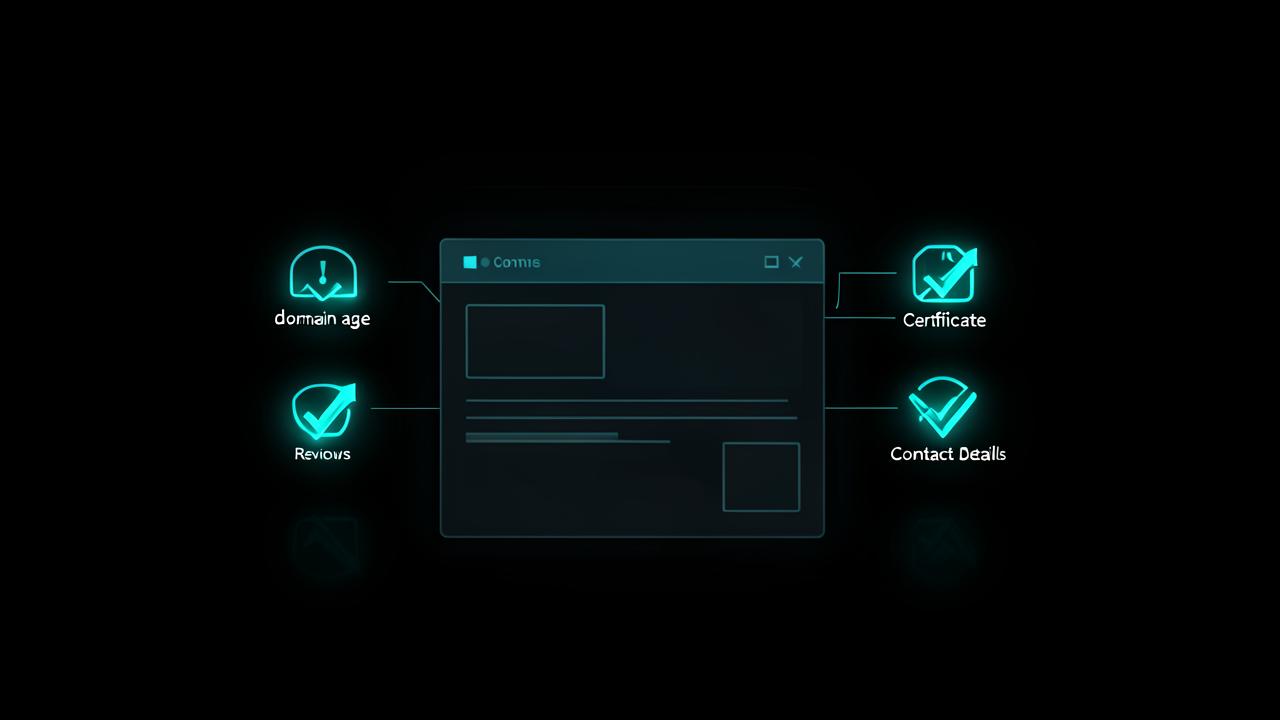
The padlock means the connection is encrypted, which is now the default for essentially all sites including fraudulent ones. Certificates are free and issued in minutes to anyone who controls a domain.
Google Safe Browsing, which states on its own site that it helps protect over five billion devices every day, is a more meaningful signal: if your browser interrupts with a warning about a deceptive or dangerous site, that verdict is worth more than any on-page seal.
You can still learn something from the certificate itself — who issued it and when — using our SSL checker. A certificate issued days ago on a site claiming a decade of trading is a contradiction.
Check 3: how old is the domain?
Fake shops are disposable. They are registered, run for a few weeks of advertising, and abandoned before the chargebacks arrive.
Registration date is therefore one of the strongest single indicators available to a consumer. Run the address through our domain age checker or the WHOIS lookup and compare what you find with the site's own story. 'Family business since 2009' plus a domain created last month settles the question.
Age alone does not prove legitimacy — expired domains get bought and repurposed — but extreme youth combined with heavy discounting is close to conclusive.
Check 4: contact details, policies and reviews
- Look for a full postal address, a company registration number where the jurisdiction requires one, and a phone number that connects to something.
- Read the returns policy for specifics: a real address to send goods back to, a stated window, who pays return postage. Vague reassurance is a red flag.
- Search the brand name with the word 'scam' or 'review' and read results on sites you already know, not testimonials hosted on the shop itself.
- Check whether product photos appear elsewhere via reverse image search — stolen catalogue images are routine.
- Distrust urgency: countdown timers, 'two left in stock', and pressure to complete checkout immediately.
- Treat prices far below every legitimate seller as the strongest warning of all. Nobody sells current-season goods at 80% off out of goodwill.
Check 5: pay with something reversible
If the site turns out to be fraudulent, your payment method decides whether you get your money back.
- Credit or debit card: chargeback rights through the card network.
- Established payment platforms: buyer protection with a dispute process.
- Bank transfer to a named individual: effectively unrecoverable.
- Cryptocurrency: irreversible by design.
- Gift cards: the signature demand of a scam, with no recovery path.
A checkout that only accepts irreversible methods is not a checkout — it is the point of the exercise. The same logic applies when a scam arrives by other routes, including the tampered codes we cover in QR code scams in 2026.
If you already paid
- Contact your card issuer or payment platform and open a dispute; mention that the merchant appears fraudulent.
- Change the password you used on the site if you reused it anywhere, and generate a unique replacement with our password generator.
- Watch the account for small test transactions, which often precede larger ones.
- Report the site to your national fraud body so it can be added to blocklists.
Why it is easier than it feels
Fraudulent shops optimise for one thing: getting you through checkout before you think. Every check above works by slowing that down.
Read the domain, look up its age, find the returns address, pay with a card. If any of those four resists you, close the tab — and if the link arrived in a message rather than from your own search, read what actually happens when you click a phishing link before you go any further.
Fakes that pass the obvious checks
Some fraudulent sites clear the first three checks, so it is worth knowing what those look like. A cloned storefront on an expired domain with real history, a marketplace listing that moves the conversation off-platform, and a paid search advert sitting above the genuine result all defeat a quick glance.
- Adverts at the top of search results: read the destination rather than the headline, and prefer the organic result for a brand you know.
- Sellers who ask you to complete payment outside a marketplace, which strips the buyer protection you were relying on.
- Sites reachable only through a link in a message, never through a search for the brand.
- Checkout pages hosted on a different domain from the shop, without any explanation.
- Copied policy text with mismatched company names or currencies, a sign the site was assembled from a template.
A two-minute routine to check if a website is legit
- Read the registrable domain out loud, character by character.
- Check the registration date and compare it with the site's own claims.
- Find the returns address and a working contact route.
- Search the brand name plus 'review' away from the site itself.
- Choose a payment method you can reverse, and stop if none is offered.
Done in that order, the checks fail fast: most fraudulent shops collapse at step one or two, and you rarely need to reach step five.
Frequently Asked Questions
Does the padlock mean a website is safe?+
No. The padlock only confirms the connection is encrypted, and certificates are free and issued within minutes to anyone who controls a domain. Fraudulent sites routinely display a padlock, so it tells you nothing about who runs the site.
How do I check if a site is legit before paying?+
Read the exact domain name character by character, check when the domain was registered, look for a real postal address and specific returns policy, search for independent reviews off-site, and pay with a card or payment platform that offers a dispute process.
How can domain age tell me a shop is fake?+
Fraudulent shops are usually disposable and only weeks old, because they are abandoned before disputes arrive. A domain registered recently on a site claiming years of trading is a direct contradiction you can verify in seconds.
What payment method is safest on an unfamiliar site?+
A credit or debit card, or an established payment platform with buyer protection, because both give you a route to reverse the transaction. Bank transfers to individuals, cryptocurrency and gift cards offer no recovery and are favoured by scammers for that reason.
How much money do people lose to online fraud?+
The FTC reported in March 2025 that US consumers lost more than $12.5 billion to fraud during 2024, a 25% increase on 2023, with investment scams accounting for $5.7 billion of that total.
Related articles
Browse all in Privacy & SecurityBest Identity Theft Protection Services in 2026 (Aura vs LifeLock vs IDShield Compared)
Read Privacy & SecurityBest VPN for Torrenting and Streaming Safely in 2026
Read Privacy & SecurityBest Private, Encrypted Email Providers in 2026 (ProtonMail vs Tutanota)
Read Privacy & SecurityBest Parental Control Apps in 2026 (Protect Your Kids Online)
Read Privacy & SecurityBest Antivirus Software in 2026: Which One Actually Protects You?
Read Privacy & SecurityWhat Is Browser Fingerprinting? Why It Tracks You Even With a VPN On
ReadTry the related free tools
Hands-on utilities from DigiMetrics Hub that go with this guide.
SSL Checker
Check SSL certificate validity, issuer, and expiry date for any website. Free online SSL checker.
Open tool Security & PrivacyBrowser Fingerprint
Check your browser fingerprint and see what data websites can collect about you. Free privacy tool.
Open tool Security & PrivacyPassword Strength Checker
Test the strength of your password and get tips to make it more secure. Free online tool.
Open tool Security & PrivacyIP Blacklist Checker
Check if your IP address is listed on any spam or blacklist database. Free online tool.
Open tool